A workout log as fast as your notes app
Just finished a set of bench? Tap the picture, spin to 155 × 7, tap Log set. It’s saved — and next time it shows you the number to beat.
Start logging — freeHow it works
Tap what you did
Spin to a body part and tap the exercise’s picture. Your recent exercises are first.
Spin the numbers
Flick the wheels for weight and reps, tap Log set. Each set is saved as you go.
Add the next one
Everything you log today is one workout. Keep it, or save it as a program to repeat.
Why not just use your notes app?
- It remembers last time Pick bench and you see last session’s sets — no scrolling back through old notes.
- Every exercise has a picture 839 illustrated exercises, 231 with a video demo. No guessing what “BB RDL” meant.
- Pounds or kilos Switch with a tap. Every set keeps its unit, so your totals are never mixed up.
- Turn it into a program Liked today’s session? Save it as a program and repeat it next week.
Exercises people log
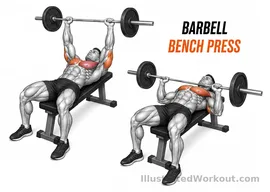 Barbell Bench Press
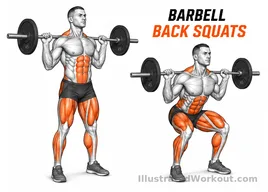 Barbell Back Squats
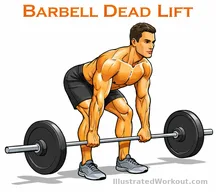 Barbell Deadlift
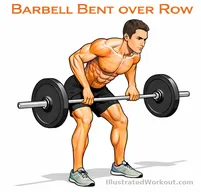 Barbell Bent Over Row
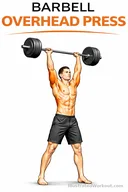 Barbell Overhead Press
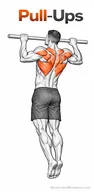 Pull Ups
Questions
Is the workout log free?
Yes. Logging is free, with no limit on workouts or sets. Progress reports and charts are part of the $2.99/month plan.
Do I need an account or an app?
No app to install, and no account to try it: open the log in your phone's browser and start. Your sets stay on your phone until you sign up free to keep them. You can also add it to your home screen so it opens like an app.
Can I log in pounds or kilograms?
Both. Switch with one tap. Every set remembers the unit it was logged in, and your reports convert everything into the unit you use.
Does it remember what I lifted last time?
Yes. Pick an exercise and it shows your last session, and the weight and reps start from there, set by set, so the next set is usually one flick away.
Can I turn what I logged into a workout program?
Yes. After a session, tap Save as program and the exercises you did become a program you can repeat, with that day counted as its first session.
What if an exercise isn't listed?
Tap "Can't find it? Ask us to add it" in the exercise picker and we will add it to the library.